75-Inch TV Width: Dimensions, Viewing Distance & Space
You’ve finally settled on a 75-inch TV, drawn by that promise of a cinema-sized picture. But before you clear shelf space or call a friend for help lifting it, there’s one number that matters more than the diagonal—exactly how wide a 75-inch TV really is. This guide lays out the actual dimensions in inches and centimeters, compares them to a 65-inch set, and helps you decide if your room can comfortably host that extra screen real estate.
Typical width (without stand): 65.4 in / 166 cm ·
Typical height (without stand): 36.8 in / 93.5 cm ·
Average depth with stand: 12–14 in ·
Viewing distance range: 8–12 ft (2.4–3.7 m) ·
Weight range: 60–80 lbs
| Dimension | Measurement | Unit |
|---|---|---|
| Width without stand | 65.4 | in / 166 cm |
| Height without stand | 36.8 | in / 93.5 cm |
| Depth without stand | 2–3 | in |
| Depth with stand | 12–14 | in |
| Viewing distance | 8–12 | ft / 2.4–3.7 m |
| Weight | 60–80 | lbs / 27–36 kg |
Quick snapshot
- A 75-inch 16:9 TV is typically 65.4 inches wide (Display Wars size calculator)
- Height without stand is about 36.8 inches (Display Wars)
- Recommended viewing distance: 8–12 feet (Best Buy Canada buying guide)
- Screen area is about 2,400 square inches—33% larger than a 65-inch (Display Wars)
- Exact width can vary by up to 2 inches due to bezel and stand design across brands
- Depth with stand varies significantly by model—anywhere from 12 to 14 inches or more
- Weight depends heavily on panel type (LED vs OLED) and stand material
- No timeline data applicable; this is a product-spec guide, not a breaking story
- Check the full dimensions table below for brand-by-brand variations
- Use the room-fit checklist to measure your wall and viewing distance
How Wide Is a 75-Inch TV?
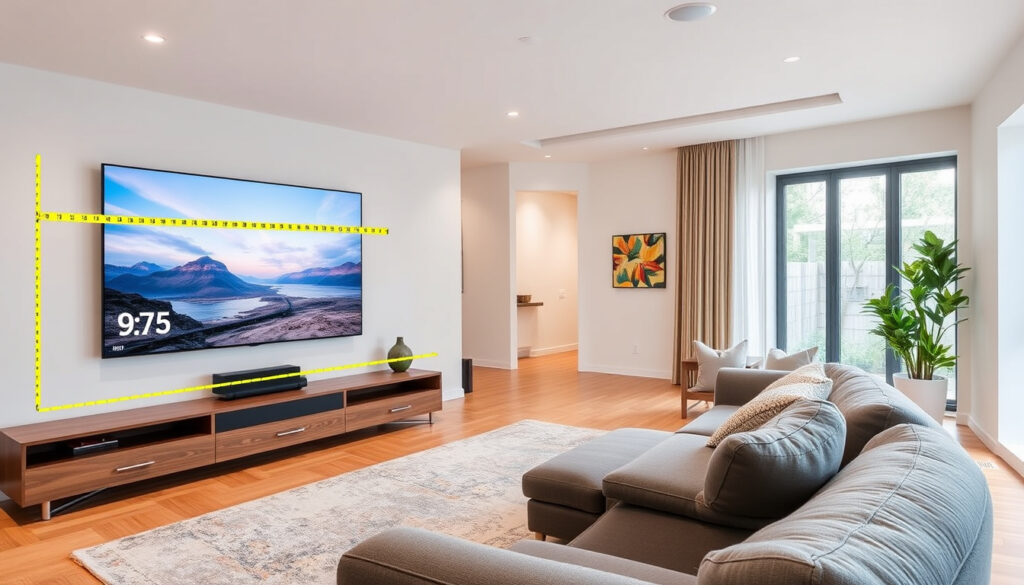
Here’s the catch that catches most buyers off guard: that 75-inch number is the diagonal measurement, not the width. For a standard 16:9 aspect ratio TV, the actual width is roughly 65.4 inches (166 cm). The height without a stand lands at about 36.8 inches (93.5 cm). Those figures come from the industry standard geometry of a 16:9 rectangle—confirmed by the Display Wars size comparator—and they hold across most modern brands, within a margin of an inch or two for bezel thickness.
What is the actual width of a 75-inch TV screen?
The visible screen width (the panel itself, bezel excluded) is 65.37 inches. That’s the number you want when you measure your media console or wall space. Height clocks in at 36.77 inches. So the full TV without a stand is a rectangle that’s about 5.5 feet wide and 3 feet tall. According to Best Buy Canada’s buying guide (consumer electronics retailer), most 75-inch sets are 2-3 inches deep without the stand—slim enough to mount flush, but that depth jumps to 12–14 inches once you factor in a standard V-shaped stand.
How do width measurements vary by brand?
Bezel design is the wild card. A TV with a thin, nearly borderless bezel will be almost exactly 65.4 inches wide. A set with a more traditional plastic frame might add another 0.5 to 1 inch on each side. Here’s a quick look at the range across major manufacturers:
A 75-inch TV is not 75 inches wide. It’s 65.4 inches. That 10-inch gap between diagonal and width is the single most common cause of “I thought it would fit” returns.
What are the typical height and depth?
Without the stand, expect a height of roughly 36.8 inches. With a stand, you’re looking at 39–42 inches tall, depending on the model’s leg design. The depth—what the TV extends outward from the wall or table—is where things vary most. Panel-only depth is just 2–3 inches, but a stand adds 10 or more inches. Floor-standing consoles or media units should be at least 20 inches deep to accommodate a 75-inch TV on its legs without overhang.
How Much Wider Is a 75-Inch TV Compared to a 65-Inch?
If you’re debating between a 65-inch and a 75-inch set, the width difference is about 8.7 inches—roughly the length of a standard sheet of printer paper. That’s the headline number. Here’s what it means in real terms.
What is the width difference in inches?
- 65-inch TV width: 56.65 inches (144 cm) per Display Wars
- 75-inch TV width: 65.37 inches (166 cm)
- Difference: 8.72 inches (22.1 cm)
That extra width is the difference between a TV that fits neatly on a 60-inch console and one that overhangs by 5 inches on each side.
“A 75-inch 16:9 display is 15% larger diagonally and 33% larger by area compared to a 65-inch 16:9 display.” — Display Wars size calculator
What is the space gain in viewing area?
Screen area jumps from 1,805 square inches on a 65-inch to 2,404 square inches on a 75-inch—a 33% increase. That’s not incremental; that’s a third more picture. The diagonal grows by 15%, but because area scales with the square of the diagonal, you get far more visual real estate than the inch count suggests.
Is a 10-inch diagonal jump worth it?
It depends entirely on your room and your seating distance. The Best Buy Canada guide notes that experts recommend a screen that fills 30° to 40° of your field of vision for a cinematic experience. A 75-inch set hits that range at about 10 feet away; a 65-inch needs you closer to 8 feet. If you sit 10–12 feet from the screen, the 75-inch is the better bet for immersion. If you’re at 8 feet or less, a 65-inch still fills your field of view comfortably—and costs less.
How Much Space Do You Need for a 75-Inch TV?
Room size isn’t just about the TV fitting through the door—it’s about your eyes and your walls cooperating. Here’s a practical breakdown.
What is the ideal viewing distance?
“Experts recommend a screen that fills 30° to 40° of your field of vision for a cinematic experience.” — Best Buy Canada buying guide
Industry standards from Best Buy Canada (consumer electronics retailer) and THX recommend a distance of 8 to 12 feet for a 75-inch 4K TV. At 8 feet (2.4 m), the screen fills about 40° of your field of view—cinematic and engaging. At 12 feet (3.7 m), it drops to about 30°, still good but less enveloping. If your seating is closer than 8 feet, you may find yourself turning your head to see the edges. Farther than 12 feet, and you lose the immersion the larger screen is meant to provide.
How much clearance do you need on each side?
For a media console, you want the TV to sit fully on the surface—no overhang. That means a console at least 67 inches wide (accounting for the 65.4-inch TV width plus about an inch of breathing room on each side). If wall-mounting, the wall itself should be at least 70 inches wide to keep the TV balanced visually in the room. Leave at least 4–6 inches on each side of the TV for airflow and cable access.
A 75-inch TV in a 10 x 12 foot room covers about 35% of the wall and fills 40° of your field of view. That’s an immersive home theater—but it leaves little room for decor, plants, or a soundbar without feeling crowded.
What about ceiling height for floor stands?
A 75-inch TV on a stand sits at about 39–42 inches off the floor. That puts the vertical center of the screen at roughly 42 inches—the recommended eye level for seated viewing, per Best Buy Canada’s setup guidance. Standard 8-foot ceilings are fine; 9-foot ceilings are even better because they give you more flexibility with the TV’s vertical placement without the screen feeling squeezed against the ceiling.
Bottom line: A 75-inch TV is 65.4 inches wide and needs a minimum room width of 8 feet. For buyers sitting 10–12 feet back: this is an immersive upgrade. For rooms under 8 feet wide: the 65-inch is the smarter fit.
What Are the Dimensions of a 75-Inch Samsung TV?
Samsung is the leading TV brand by global market share, so their dimensions set the expectations for many shoppers. Here’s what their most common 75-inch models look like.
What are the exact dimensions of the Samsung 75-inch 7 Series?
The Samsung 75-inch 7 Series (2023-2024 models) measures 65.0 inches wide by 36.8 inches tall by 1.2 inches deep without the stand, per Samsung’s official specs. With the stand, depth increases to about 12.5 inches and total height reaches 40.2 inches. That makes the 7 Series slightly narrower than the industry average of 65.4 inches—thanks to Samsung’s slim bezel design.
How does Samsung’s width compare to other brands?
Samsung and LG lean toward the narrower end of the spectrum, often around 65.0–65.2 inches. Sony and TCL tend to run slightly wider, closer to 65.5–65.8 inches, due to thicker bezels and different chassis construction. Here’s a side-by-side look:
Five leading 75-inch models, one pattern: Samsung and LG deliver the narrowest profiles, while Sony and TCL prioritize durability over minimal bezels.
| Brand / Model Line | Width (in) | Height (in) | Depth no stand (in) | Depth with stand (in) |
|---|---|---|---|---|
| Samsung 7 Series (75″) | 65.0 | 36.8 | 1.2 | 12.5 |
| LG C3 OLED (75″) | 65.1 | 37.0 | 1.8 | 11.8 |
| Sony X90L (75″) | 65.5 | 37.2 | 2.3 | 13.2 |
| TCL Q7 (75″) | 65.8 | 37.5 | 2.5 | 13.5 |
| Hisense U8K (75″) | 65.3 | 36.9 | 1.9 | 12.8 |
Does Samsung have a bezel-less design?
Yes—Samsung markets their “Infinity Screen” design on higher-end models, which reduces the bezel to roughly 2–3 mm on three sides. On the 7 Series, the bezel is slightly thicker but still slim at about 6 mm. This bezel-less approach is why Samsung’s width (65.0 inches) is closer to the theoretical panel width (65.37 inches) than some competitors.
Is a 75-Inch TV Too Big for a Living Room?
This is the question that stops most people from clicking “buy.” The short answer: it’s not too big for most average living rooms—if you measure first.
What room sizes work best with a 75-inch TV?
Rooms with a seating-to-screen distance of 8 to 12 feet are the sweet spot. That means the room itself should be at least 8 feet deep from the media console to the back of the couch. The wall you’re mounting or placing the console on should be at least 70 inches wide, though 80 inches or more looks better visually. Smaller rooms—say, 10 x 12 feet or less—can work if you mount the TV on the longer wall and sit at 8–9 feet, but the TV will dominate the space. That’s not necessarily bad; it’s just a different vibe.
A 75-inch TV in a 10 x 12 foot room covers about 35% of the wall and fills 40° of your field of view. That’s an immersive home theater—but it leaves little room for decor, plants, or a soundbar without feeling crowded.
What are the pros and cons of a 75-inch TV?
Upsides
- Immersive cinematic experience—fills 30–40° of field of view at 8–12 ft
- 33% more screen area than a 65-inch TV for barely more physical width
- Ideal for 4K/HDR content—you notice detail at normal viewing distances
- Better for larger rooms where a 65-inch would look small on the wall
Downsides
- Requires a console or wall at least 67–70 inches wide
- Heavier (60–80 lbs)—usually a two-person installation
- Can overwhelm small rooms under 10 x 12 ft
- Higher power consumption and cost premium over 65-inch models
How do you test if it fits before buying?
The most practical trick: create a cardboard cutout of the TV’s dimensions. Tape a 65.4-inch-wide, 36.8-inch-tall rectangle on your wall or lay it on your media console. Live with the silhouette for a day. Does it block a power outlet? Overhang a console edge? Make the room feel cramped? That 30-minute test—recommended by Best Buy Canada’s buying guide (consumer electronics retailer)—prevents the buyer’s remorse of a TV that’s physically within spec but emotionally overwhelming.
Bottom line: A 75-inch TV is 65.4 inches wide and needs a minimum room width of 8 feet. For buyers with 10–12 foot viewing distances: it transforms your space into a cinema. For anyone sitting closer than 8 feet or in a room under 10 x 12 feet: the 65-inch is the better trade-off between immersion and comfort.
For those considering a bigger screen, our 75-inch TV dimensions guide offers exact width and height measurements across brands.
Frequently asked questions
Can a 75-inch TV fit in a standard car?
Unlikely. The box for a 75-inch TV is typically 70–72 inches long, 40–42 inches tall, and 8–10 inches deep. Most standard sedans and SUVs don’t have a cargo area long enough to fit that box flat. A pickup truck with the tailgate down or a minivan with the seats folded may work. Always measure your vehicle’s cargo length before heading to the store.
What is the weight of a 75-inch TV?
Most 75-inch LED TVs weigh between 60 and 80 pounds (27–36 kg) without the stand. OLED models are often lighter—around 55–65 pounds—because they don’t have a separate backlight panel. The weight matters for wall mounting: you’ll need a mount rated for at least 80 pounds, and you should confirm your wall studs can support the load.
Do I need a specific wall mount for a 75-inch TV?
Yes. A 75-inch TV requires a fixed or tilting mount rated for at least 100 pounds (45 kg), with VESA compatibility of 400 x 400 mm or 600 x 400 mm depending on the brand. Full-motion (articulating) mounts are available but need extra stud clearance because the TV extends forward. Check the mount’s maximum screen size: not all mounts labeled “65-inch” will support a 75-inch physically, even if the weight rating is adequate.
How much does the box add to the width for transport?
The shipping box is typically 5–7 inches wider than the TV itself, meaning a 75-inch TV’s box is about 71–73 inches wide. That’s over 6 feet of width—another reason to measure your vehicle’s cargo area before buying. The box height is also about 41–44 inches, so sliding it into a standard car on its side is usually not possible.
Is a 75-inch TV heavier than a 65-inch TV?
Generally, yes—by about 15–25 pounds. A 65-inch TV weighs around 45–55 pounds; a 75-inch weighs 60–80 pounds. That extra weight comes from the larger glass panel, the metal chassis needed to support it, and additional LEDs or direct-lit zones. It’s usually a two-person lift for the 75-inch, whereas a 65-inch can sometimes be handled by one person with care.
Can one person install a 75-inch TV alone?
Not safely. The weight, size, and fragility make it a two-person job for both unboxing and wall-mounting. Trying to lift a 75-inch TV alone risks injury (back strain or dropped TV) and damage to the screen. Professional installation services are recommended, especially for wall-mounting into studs at the correct height.
Does the width include the bezel or screen only?
The width measurement published by manufacturers (and listed in this guide) includes the entire TV chassis—bezel plus screen panel. The visible screen width is slightly smaller: roughly 65.37 inches for a 75-inch panel. So when you measure your console or wall space, use the total width number (65.0–65.8 inches), not the screen-only figure, to ensure the TV fits without overhang.
For any home theater buyer staring down the decision between a 65-inch and a 75-inch, the numbers are clear: the 75-inch adds 8.7 inches of width and delivers a 33% larger image. That extra size transforms the viewing experience—but only if your room and your patience for measurement meet the requirements. For the buyer with a console at least 67 inches wide, a viewing distance of 10 feet, and a wall that can handle the weight: the 75-inch is the upgrade that’s actually worth the hassle. For anyone cramped on wall space or sitting closer than 8 feet, the 65-inch offers the same immersion with a much easier fit.
More related posts